One-finger games for your phone
Free games you can play with one thumb in your phone's browser, no app needed. Hold, tap or slide: every game here uses a single finger.
12 games · Updated
-
1. Helix Tower Drop
Slide to spin the tower and let the ball drop through the gaps. Very easy to learn, hard to put down.
-
2. Ice Breaker
Hold to smash icicles, let go before the chimneys. A single hold is the whole game.
-
3. Car Rush
Hold to overtake, release to dodge oncoming traffic.
-
4. Flip Fork
Tap to flip the fork down the counter and skewer three foods.
-
5. Cutter Woodsman
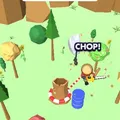
Hold to swing the woodsman out around the stump, let go to swing in, and saw every tree while missing the barrels.
-
6. Balloon Shooter
Slide left and right to line up your shots and pop the falling balloons before they flood the field.
-
7. Firefighter Plane
Hold to dive and scoop water from the sea, let go to climb, and drop it on the burning islands.
-
8. Big Push
Hold to push pianos, buses and even a train over the line before the time runs out.
-
9. Trampoline Dodgeball
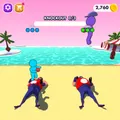
Swipe up for big bounces and down for small ones to dodge the balls and knock out a new rival every level.
-
10. Disc Golf
One tap to time each throw, then steer the disc into the basket.
-
11. Color Water Sort
Tap a tube, then tap another to pour. A calm puzzle for one hand.
-
12. Balloon Run
Slide left and right to steer the runner into balloons of your colour.










About these games
These games are made for a phone held upright in one hand: on the bus, in a queue, or on the sofa. Each one uses a single input, a hold, a tap or a slide, so you can play with your thumb and still hold on to something with the other hand.
They run in Safari on iPhone and in Chrome on Android, and open full screen on phones. There is no app to install, so they do not take up storage, and you can add TinyJar Games to your home screen from the browser menu to open it like an app.
Questions and answers
Do I need to install an app?
No. These games run in your phone's browser. You can add the site to your home screen from the browser menu if you want an app-like shortcut.
Do the games work on iPhone?
Yes. They work in Safari and Chrome on iPhone and iPad, and in Chrome, Samsung Internet and other browsers on Android.
Do these games use a lot of mobile data?
Each game on this list is between about 10 MB and 21 MB the first time you play it, and loads from your browser cache after that.